
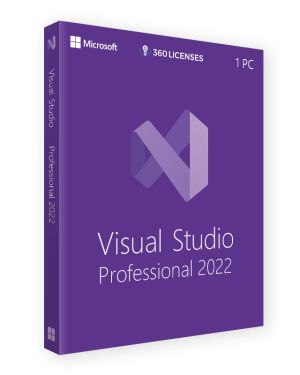
- × Microsoft Visual Studio 2022 Professional - OEM License (1 PC) - Lifetime Online Activation 1 × €39.90
 €39.90
Subtotal: €39.90

€29.99
Get your Microsoft Visual Studio 2017 Professional original license. Unlock powerful features like IntelliSense, Live Unit Testing, and built-in Git integration. Ideal for developers seeking an efficient and comprehensive development environment.
Microsoft Visual Studio 2017 Professional is an advanced Integrated Development Environment (IDE) designed to streamline software development across multiple platforms. This professional-grade IDE offers a wide array of tools that enhance productivity, making it suitable for developers working on both small and large projects. By purchasing an original license, you gain access to exclusive features such as code editing, debugging, and deployment tools that support agile methodologies and DevOps processes.
With Visual Studio 2017 Professional, developers can benefit from a range of powerful features:
These features make Visual Studio 2017 Professional an ideal choice for developers seeking a well-rounded, professional-grade IDE.
To run Microsoft Visual Studio 2017 Professional efficiently, your system must meet the following minimum requirements:
Having the right hardware and software specifications ensures that you can take full advantage of the features offered by Visual Studio 2017 Professional.
Once you purchase the original Microsoft Visual Studio 2017 Professional license, activating the product is straightforward. After downloading and installing the software, you can enter the license key during the installation process or after launching the application. Navigate to the "Help" section within the IDE, select "Register Product," and input your genuine license key to activate all features and receive updates directly from Microsoft.
An original license guarantees that you’re using genuine software, ensuring access to regular updates, security patches, and full customer support. It also offers peace of mind, knowing that your software complies with legal standards and industry best practices. By choosing the original version of Microsoft Visual Studio 2017 Professional, you empower your development team with reliable tools and long-term support for building quality applications.
Microsoft Visual Studio 2017 Professional is the ideal IDE for developers seeking to create high-quality software while improving efficiency and collaboration.
| Brand | Microsoft |
|---|---|
| Activation Method | Online Activation |
| Language | Global |
| Slots | 1 PC |
| License Type | Retail |
| Compatibility | Windows, Windows 10, Windows 7, Windows 8 |
Only logged in customers who have purchased this product may leave a review.
Reviews
There are no reviews yet.